Japan eSIM · 3GB/6GB · 4d/7d/31d
Plan details
| Validity | 4d / 7d / 31d / 180d |
|---|---|
| High-speed data | 3GB / 6GB |
| Network | KDDI |
| Hotspot | ✓ |
Install & activate
- After payment, your eSIM QR code is emailed within 1-2 business days.
- Connect to Wi-Fi, open Settings → Cellular → Add eSIM, and scan the code.
- On arrival, select the eSIM and enable Data Roaming.
- If it does not connect, set the APN manually or contact us.
Before you buy
- This is an eSIM, not a physical card. Check that your phone supports eSIM (dial *#06# for an EID).
- Some HK/Macau iPhone models do not support eSIM.
- The QR code can be installed only once and cannot be transferred.
- After the data allowance is used, speed is throttled — no extra charges.
- Data is provided by local operators; actual speed depends on local coverage.
Product description
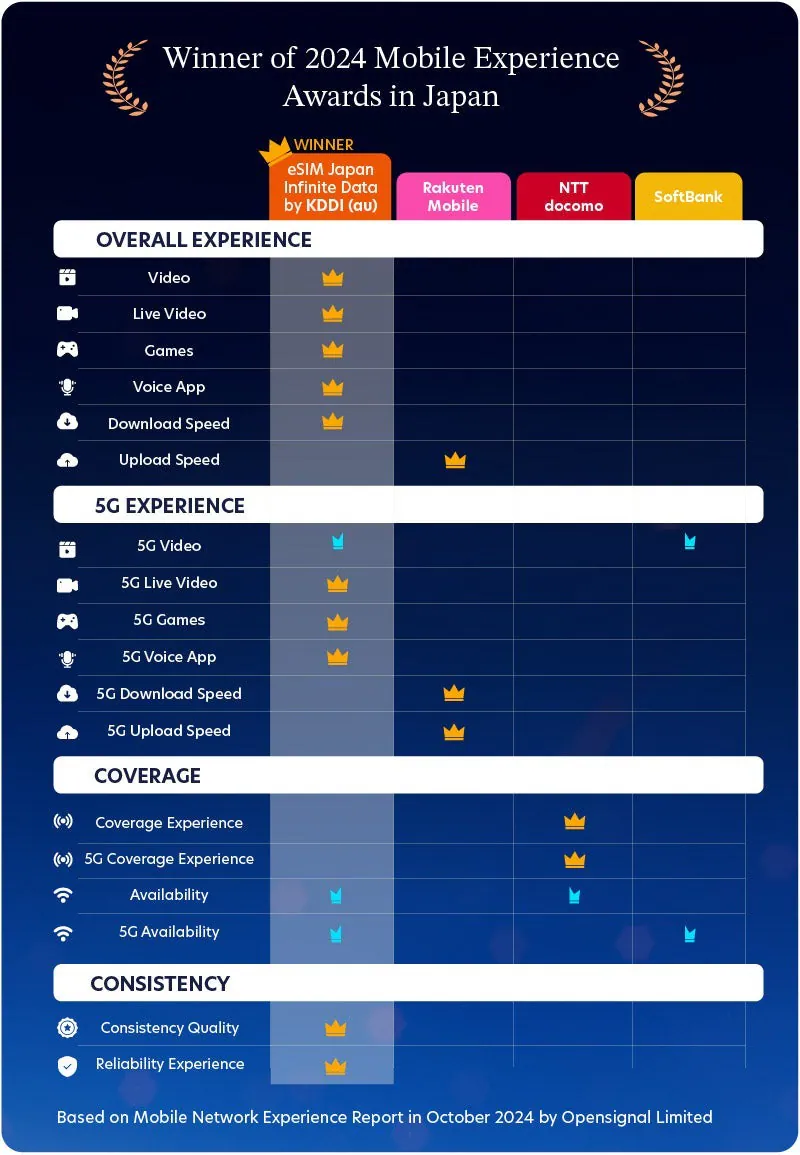
au by KDDI Japanese native 5G unlimited Internet card ** This product is the E-SIM version, non-physical SIM card version ** Thanks to the Japanese KDDI supplier for cooperation and promotion, the full series of 3 to 31 days version will be launched from now on, 20% off discount, no speed limit, no limit, unlimited data au by KDDI is the only one of the three major telecommunications companies in Japan to provide direct E-SIM services.
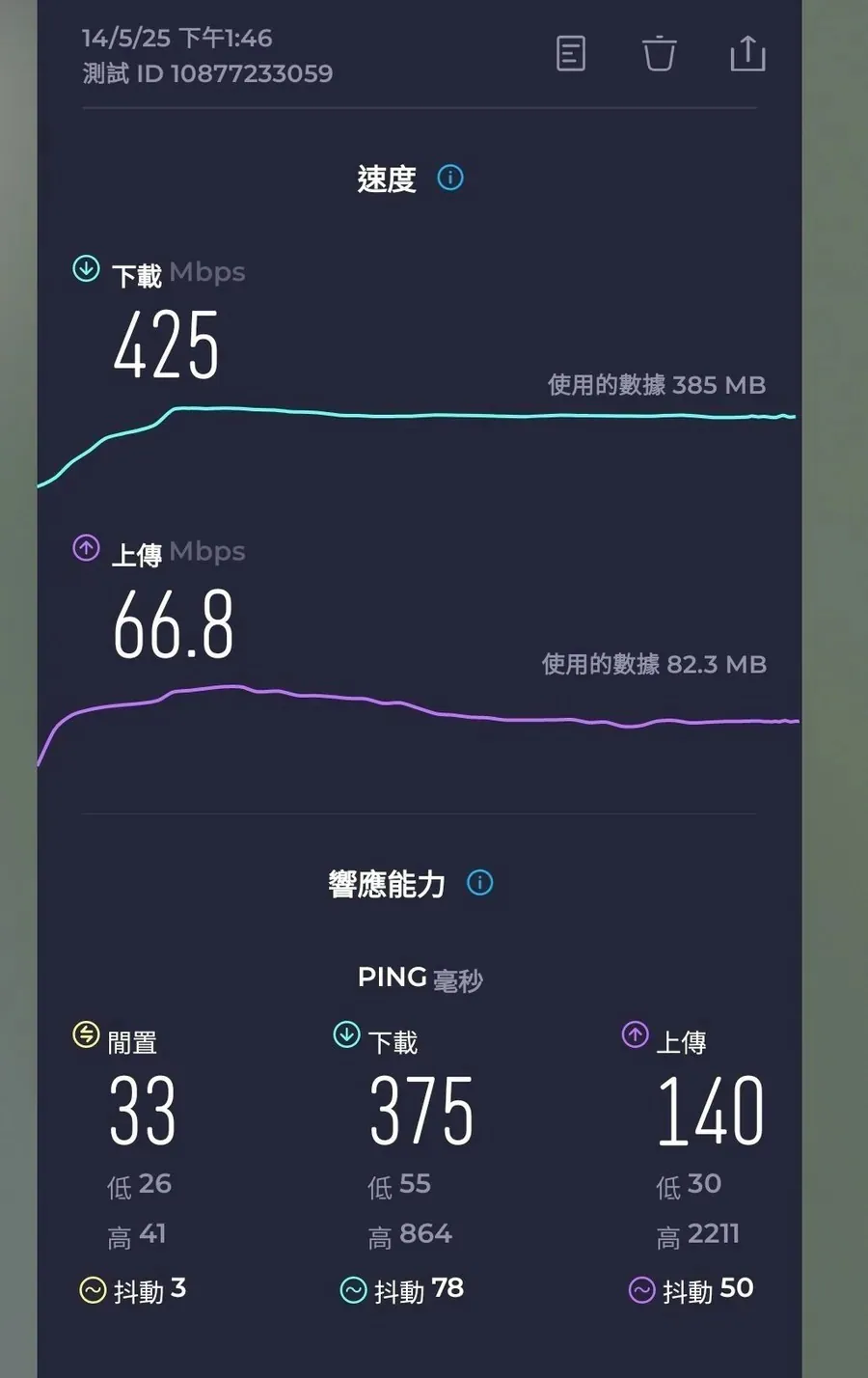
It directly uses KDDI's Japanese native network, Japanese IP, non-roaming card or MVNO agent card, low PING value, and higher data connection stability. Use KDDI 4G/5G network, covering 99% of Japan. Data sharing is supported every day at 23:59 Japan time.
The shareable data is the number of days minus 1, which is the amount of data. For example: the 4-day version includes 3GB of shareable data, and the 7-day version includes 6GB of shareable data. Plug and play.
, the last activation date for registration-free and roaming-free: 180 days from the date of issue.
com/zh-hant/ Click the dialogue ICON in the lower right corner (English/Japanese customer service is provided) How to receive E-SIM: E-SIM will be sent to EMAIL during office hours on business days, and QR CODE will be emailed directly to your email address by the supplier.
The EMAIL title is "eSIM "Setting step instructions", EMAIL comes from JAPANTRAVELSIM, it may be sent to the spam mailbox due to your email settings, please pay attention to check. Before placing an order, please confirm whether your device supports the E-SIM function.
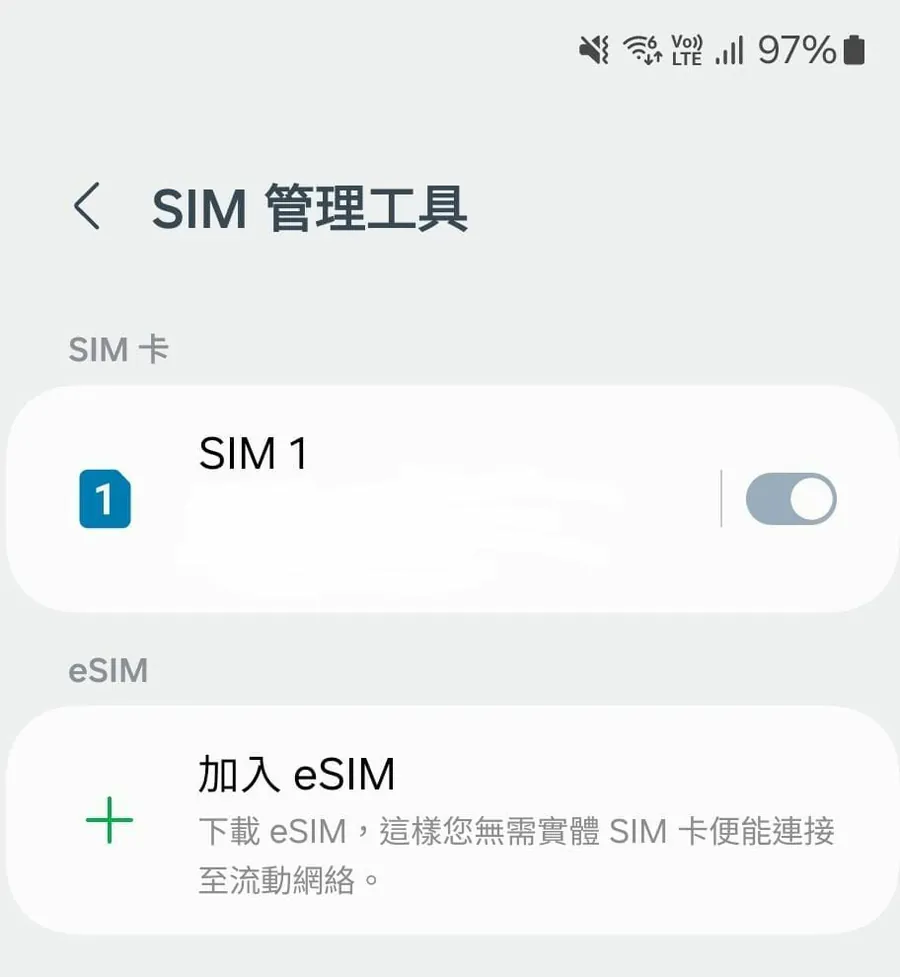
You can usually check whether you can add E-SIM in the SIM management tool, or dial *#06#. If an EID number appears, it means it supports E-SIM.
Hong Kong version/Macau version iPhone is only supported by the following models: iPhone 18 pro/promax, iPhone Duo, all iPhone 17 models, iPhone Air, iPhone 16e, iPhone XS, iPhone 12 mini, iPhone 13 Mini, iPhone SE.
(Hong Kong and Macau iPhones other than the above models do not support E-Sim.) How to activate: Select QR CODE to join E-SIM in the E-SIM settings of the phone. After scanning and installation are completed, select the E-SIM in the settings for network connection and enable the data function.
E-SIM will be automatically activated immediately. Normally, the connection is automatic, but there is no connection to the Internet after enabling it. Please complete the APN setting manually.
Name: uad5gn.au-net.ne.jp APN: uad5gn.au-net.ne.jp User name: au@uad5gn.au-net.ne.jp Password: au Verification type: CHAPAPN Protocol: IPv4 / IPv6 communication speed is for reference only.
It is the maximum value based on technical specifications during reception/transmission, but does not represent the actual communication speed.
The provider will provide services on a "best efforts" basis, but the actual communication speed will vary depending on the communication environment and network congestion, such as busy times and crowded places.
This service uses radio waves, so even within the service area, it may not be available due to indoor or surrounding obstacles (buildings, terrain), etc. In addition, it may not be usable even in places with a good view, such as on high floors of skyscrapers, apartments, etc.
In principle, the SIM card has no speed limit or slowdown and can be used indefinitely, but it is still regulated by the fair use principle of telecommunications companies and the Japanese Ministry of Internal Affairs and Communications. Please note the following for reasonable use: 1.
Network connection: Make sure your device has a network connection during the eSIM installation period, whether through network coverage or Wi-Fi. 2. Activation time: Scanning the QR code when you are ready will activate the plan as the eSIM is activated when downloaded to your device. 3.
Manual activation: You can also manually enter the activation code on your device's eSIM activation screen. 4. Network issues: If you experience any network connection issues, you may need to manually adjust your network selections (see plan description). 5.
Device restrictions: Each eSIM can only be installed on one device and cannot be transferred. 6. Multiple profiles: Although you can add multiple eSIM profiles, only one can be activated at a time. It is recommended that you rename the configuration file differently.